

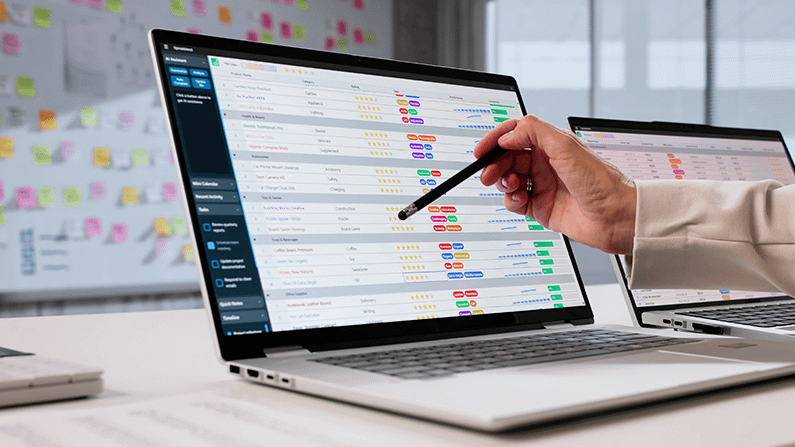
Choosing practice management software feels like a technology decision, and that framing is exactly why so many practices choose badly. They compare feature checklists, sit through slick demos, and pick the platform with the longest list of capabilities — then discover a year later that the impressive software changed very little, because the software was never the thing holding the practice back. The tool was fine. The systems around it were the problem.
Practice management software is genuinely important — it’s the backbone your scheduling, billing, and patient records run on, and a switch is expensive and disruptive. But it’s a tool, and a tool amplifies whatever systems and habits you already have. This guide reframes the decision around what actually matters: not which platform has the most features, but which one best supports the way your practice needs to operate, and why your systems matter more than your software either way.
Software Is a Tool, Not a Strategy
The most important thing to understand before evaluating any platform is that software amplifies your systems — it doesn’t create them. A practice with strong scheduling, billing, and patient-experience habits will run well on adequate software. A practice with weak habits will run poorly on the best software money can buy, because the platform simply executes the processes you feed it, gaps and all.
This is why practices that expect a new system to fix their problems are usually disappointed. If new patients aren’t being converted on the phone, if the schedule is built reactively, if collections are loose, no software resolves those issues — they’re systems and training problems wearing a technology costume. Understanding this up front protects you from the most common mistake: buying a platform to solve a problem the platform can’t touch, and blaming the software when nothing improves. (See why your systems and team determine growth.)
Start With How You Need to Operate
The right way to begin isn’t with a list of products — it’s with a clear picture of how your practice needs to work. What does your scheduling approach require? How do you want to handle billing and collections? What does your patient communication and experience demand? When you’re clear on the operation you’re trying to run, you can evaluate whether a given platform supports it, rather than being dazzled by capabilities you’ll never use.
This order matters because it puts you in control of the evaluation instead of the vendor. A demo is designed to showcase what the software does; your job is to know what you need and check the software against it. Practices that define their operational requirements first ask sharper questions, avoid paying for irrelevant complexity, and end up with a tool that fits how they actually work — not a tool that dictates a workflow they never chose.
The Criteria That Actually Matter
Once you know how you need to operate, a handful of practical criteria tend to matter far more than raw feature count. Reliability and support top the list — a platform that breaks or leaves you stranded costs you production and sanity regardless of its features. Ease of use for your actual team matters enormously, because software your staff finds cumbersome gets used badly or worked around, which erodes any theoretical benefit.
Fit with your core workflows — scheduling, billing, patient communication — matters more than breadth, since a tool that does your essential jobs smoothly beats one that does fifty jobs awkwardly. And the real total cost, including training, transition, and ongoing support, matters more than the sticker price. Evaluating against these grounded criteria keeps you focused on what will affect daily operations rather than on impressive-sounding capabilities that look good in a demo and go unused in practice.
Beware the Feature-Checklist Trap
Vendors compete on feature lists because features are easy to market, but a longer list rarely translates into a better-run practice. Most practices use a fraction of their software’s capabilities, and the marginal features that win checklist comparisons are often the ones no one ever touches. Choosing on breadth alone tends to mean paying more for complexity that adds friction rather than value.
The better question about any feature is “will we actually use this, and will it improve how we operate?” A capability that sounds impressive but doesn’t map to a real need in your practice is not an asset — it’s noise, and sometimes a source of added complication. Discipline here saves money and prevents the common outcome of a powerful platform that the team uses like a much simpler one, having paid for capability that never leaves the box.
Factor In the Real Cost of Switching
If you already have software and are considering a change, the transition itself is a major part of the decision that’s easy to underweight. Switching platforms means data migration, retraining the whole team, temporary disruption to daily operations, and a learning curve that can dent production for a while. Those costs are real and should be weighed honestly against the actual gains a new platform would deliver.
Sometimes a switch is clearly worth it — when the current system genuinely blocks how you need to operate. Often, though, the honest assessment is that the current platform is adequate and the practice’s real constraints lie in its systems, not its software. In those cases the disruption of switching buys little, and the energy is better spent improving the habits the current tool already supports. Count the full cost before assuming new software is the answer. (See the economics of practice decisions.)
What to Evaluate Before You Commit
- Does it support how we actually need to operate? Fit with your real workflows beats a long feature list every time.
- Is it reliable and well-supported? Downtime and poor support cost production no matter how capable the platform is.
- Will our team genuinely use it well? Ease of use determines whether the benefits are real or theoretical.
- What’s the full cost, including transition? Training, migration, and disruption often dwarf the sticker price.
Fix the Systems, Then Choose the Tool
The through-line is simple: get clear on your systems first, then choose software that supports them. A practice with strong scheduling, conversion, billing, and patient-experience habits will do well on solid, well-supported software that fits its workflows — and will get little extra from chasing the most feature-rich platform on the market. The leverage is in the systems; the software is how you run them.
So before signing a contract, ask honestly whether your real constraint is the tool or the way you’re using it. If it’s the systems, that’s where the return is — and improving them will make whatever software you run more effective. Choose the platform that best supports the practice you’re actually building, and don’t expect a tool to do the work that only systems and training can. (See reading the numbers that guide these decisions.)
Frequently Asked Questions
Will new software fix my practice’s problems?
Only if the problems are genuinely software problems, which is rarer than it seems. Software amplifies your existing systems — it doesn’t create them. Weak scheduling, conversion, or billing habits follow you to any platform. Fix the systems and the software you have usually improves too.
How should I actually compare platforms?
Start from how your practice needs to operate, then check each platform against that — reliability, support, ease of use for your team, and fit with your core workflows. Judge against your real needs rather than being swayed by the longest feature list in the demo.
Is it worth switching from my current system?
Only when the current system genuinely blocks how you need to operate, and after weighing the full cost of switching — data migration, retraining, and disruption. Often the current platform is adequate and the real constraints are systems-related, in which case switching buys little.
Why do practices regret their software choice?
Usually because they chose on features rather than fit, expected the tool to solve systems problems it couldn’t, or underestimated the transition cost. Choosing around real operational needs — and fixing systems first — prevents most of that regret.
Choose the Tool That Fits the Practice
Practice management software matters, but not the way the marketing implies. The best platform is the one that reliably supports how your practice actually needs to operate — not the one with the most features. Define your systems first, evaluate against grounded criteria, count the full cost of any switch, and remember that the leverage was always in the systems the software merely runs.
Take the Free 5-Star Challenge
Great software still can’t convert a new-patient call — your team does that. See how well your front desk is performing with a free, scored evaluation.
Take the Free 5-Star ChallengeAccelerate Your Practice Growth